







80% of consumers say they are more likely to buy from a local store or business after reading positive customer reviews on its Facebook page. 72% say they trust online customer reviews as much as recommendations from people they know.
Yet many businesses are reluctant to let their customers speak publicly on these pages, which are often created to strengthen their brand image. Their main fears: that customer reviews will be mostly negative, and that they will not know how to manage all the reviews they receive.
What are the benefits of Facebook customer reviews?
In 2018, when this article was first published, Facebook had around 40.8 million monthly users in France — as many consumers likely to look for information about businesses there before making a purchase decision. Customer reviews are among the most sought-after pieces of information.
Customer reviews also make a business easier to find in search results. According to the 2016 edition of the Local Search Ranking Factors study by Moz, reviews were among the top five factors influencing rankings in local search.
When customer reviews are enabled on Facebook, anyone with a personal account can leave a review on the pages of their choice. Satisfied customers who leave positive reviews often become active members of the online community, feel even closer to the brand and are therefore more likely to stay loyal. And what better way to attract new customers than a public recommendation?
As for dissatisfied customers, by speaking up on your pages they give you a golden opportunity to win back their loyalty before it is too late. This public exercise also lets you show the rest of your community how you handle dissatisfaction and take negative customer reviews seriously.
Note that since 2018, Facebook has replaced star ratings with Recommendations: visitors say whether or not they recommend the Page, and explain why in a comment.
How do you enable or disable customer reviews on Facebook?
When this article was first written, the reviews section was switched off by default on Facebook pages, and switching it on was very simple.
You went to the Facebook page in question, then to "Settings" at the top right of the page. Next, you clicked "Edit Page" in the left-hand column, then "Add a Tab", and selected the Reviews tab to enable Facebook reviews.
Disabling them was just as simple: go to "Settings", then "Edit Page", and select the review settings. Turn customer reviews off and save your changes.
Facebook's menus have changed several times since. In the current Page experience, look for the reviews option in your Page's settings.
How can you manage your Facebook reviews more easily?
It can be hard to get an overview of the reviews customers leave on these pages, and of how far each one has been dealt with.
That is why Wizville, the customer satisfaction management platform, lets you centralise, analyse and handle the customer reviews posted by consumers on all the Facebook pages belonging to the same business.
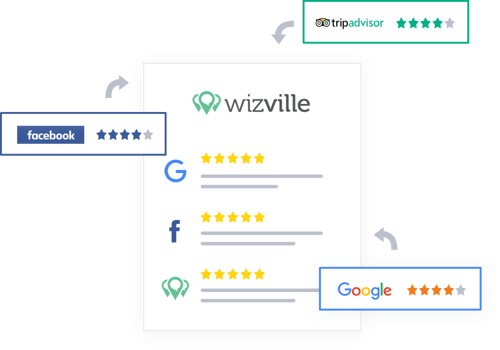
The head office of a store network can see the satisfaction of customers across all its stores at a glance, find out the main sources of satisfaction and dissatisfaction, overall or store by store, and assign their handling to the staff member or team of its choice.
The platform integrates Google Business Profile reviews (formerly Google My Business) in the same way.
Image source: Canva, royalty-free